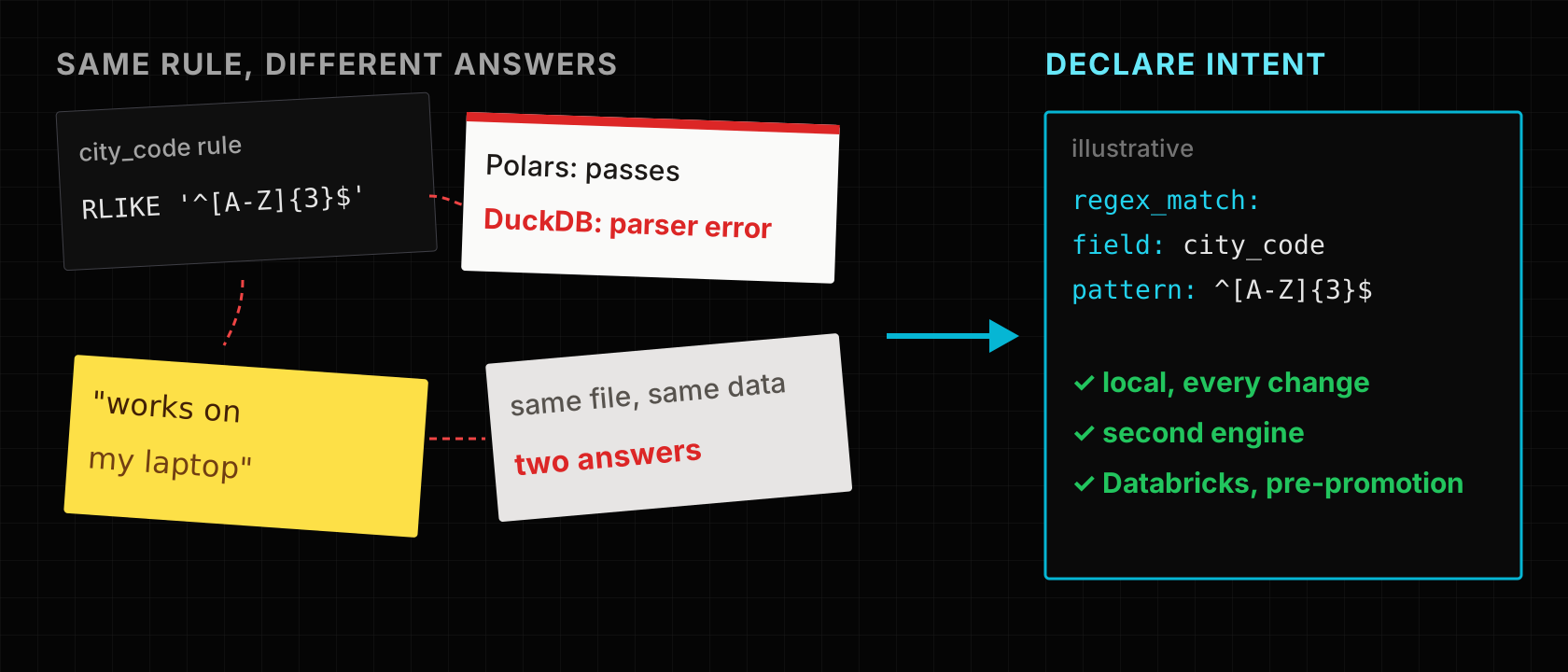
Picture a quick rule on a ride-hailing trips table, checking each trip's three-letter city code. It takes moments to write and passes on your laptop: city_code RLIKE '^[A-Z]{3}$'. RLIKE is Spark syntax too, so the Databricks job will accept it. Then a colleague runs the same contract on DuckDB for a quick check and gets a parser error. Same file, same data, different engines, different answers.
This is the bargain of testing locally. Starting a remote cluster for every contract change is slow, so teams move feedback onto a laptop with Polars or DuckDB. That works for most rules, but each engine has its own SQL dialect, its own null and type behaviour, and its own defaults. A local green tick is real evidence, about the local engine.
This article shows how to split the work: what a local run can tell you about a data contract, what it cannot, and how to write rules that behave the same across engines. The examples were run on Polars and DuckDB; the Spark behaviour described comes from Spark's documentation and LakeLogic's engine code, and is called out where it was not run.
The ways teams test before Databricks
| Approach | How it works | Good fit | Watch out for |
|---|---|---|---|
| Run everything on a dev workspace | Each change runs in a non-production catalog | Highest fidelity: real Spark, Unity Catalog, permissions | Slow feedback; start-up and cost per iteration |
| Databricks Connect | Local code, remote Databricks compute | IDE workflow with real Spark semantics | Needs a workspace and network; not offline |
| Local PySpark with pytest | A local Spark session in unit tests | Spark transformations offline | JVM setup; not Databricks Runtime |
| A fast local engine (Polars, DuckDB) | Same logic on a single-machine engine | Fast feedback on schema and rules | Different dialect; proves the local engine only |
| Mocked data in unit tests | Functions tested on tiny DataFrames | Pure logic | Tests code, not the table's rules |
Local PySpark differs from Databricks Runtime in Delta, Unity Catalog and runtime defaults, so it narrows the gap without closing it.
A common setup uses two of these: something fast for the inner loop and something real before promotion. The open question is which checks can safely move to the fast loop, and how you stop a dialect difference from slipping through. That is where a contract, run on more than one engine, helps.
One contract, more than one engine
A LakeLogic contract states fields, types and rules once. LakeLogic Core can execute it with Polars or DuckDB on a laptop and with Spark on Databricks; you pick the engine when you run it:
from lakelogic import DataProcessor

good, bad = DataProcessor("contracts/trips.yaml", engine="duckdb").run_source("trips.csv")
Required fields, types and rule outcomes are reported the same way on each engine, with the failed rule's name stored on each quarantined row. Engine-specific settings, such as catalog names and storage paths, belong in system configuration rather than in the contract.
The worked example: one regex, three dialects
We ran four city codes (LON, lon, MAN, BRS) through a one-rule contract on Polars and DuckDB, trying the regex rule written three ways:
| Rule as written | Polars | DuckDB | Spark (per docs, not run here) |
|---|---|---|---|
city_code RLIKE '^[A-Z]{3}$' | quarantines lon | parser error | valid syntax |
regexp_like(city_code, '^[A-Z]{3}$') | quarantines lon | "function does not exist" | valid syntax |
regexp_matches(city_code, '^[A-Z]{3}$') | "unsupported function" | quarantines lon | not a Spark function |
| Structured rule (below) | quarantines lon | quarantines lon | translated to RLIKE |
The free-form SQL rules are passed to each engine as written, so they inherit its dialect. The good news is that the failures were loud: an engine that did not understand the rule raised an error rather than silently passing every row.
The portable way is to declare the intent and let LakeLogic write the SQL for each engine:
quality:
  row_rules:
    - regex_match:
        field: city_code
        pattern: "^[A-Z]{3}$"
On Polars this ran as regexp_like(...), on DuckDB as REGEXP_MATCHES(...), and both quarantined lon with the rule name city_code_regex_match. LakeLogic's Spark engine translates the same rule to RLIKE; we did not run Spark for this article. Structured forms also exist for ranges, accepted values and required fields. Prefer them over raw SQL when a contract must run on more than one engine.
Other differences to test for, not assume away
- Division by zero. Apache Spark's ANSI mode, on by default in recent Spark releases, raises an error where other engines may return null or infinity.
try_dividereturns null in Spark instead. Check what your Databricks compute uses. - Timestamps and time zones. In our run,
2026-03-29 01:30:00parsed the same on Polars and DuckDB, and a29/03/2026 08:00value was quarantined as a type mismatch on both. Session time zones on Databricks are a separate setting to check. - Float width. A field typed
floatloaded as 32-bit on Polars, so19.99came back as19.989999771118164. Usedoubleor a decimal for money. - Functions and casing. Function names, string comparison and regex flavours differ. Run a rule on every engine it will meet before trusting it.
A test path with three levels
- On every change, locally: run representative and deliberately broken rows on Polars or DuckDB. Check accepted plus quarantined equals the input, and that each broken row fails the rule you expected. Generating those rows from the contract is covered in Generate failing data from your contract.
- On rules that will run on several engines: run the same fixtures on a second local engine. Disagreements usually mean a dialect-specific rule.
- Before promotion, on Databricks: run in a non-production catalog with Spark, Delta and Unity Catalog. This is where permissions, storage paths, runtime defaults and orchestration are actually tested.
Keep the engine visible in the evidence, so a laptop run is never mistaken for a platform run. In the RideFlow reference project (a fictional ride-hailing business), each Databricks run summary states the engine:
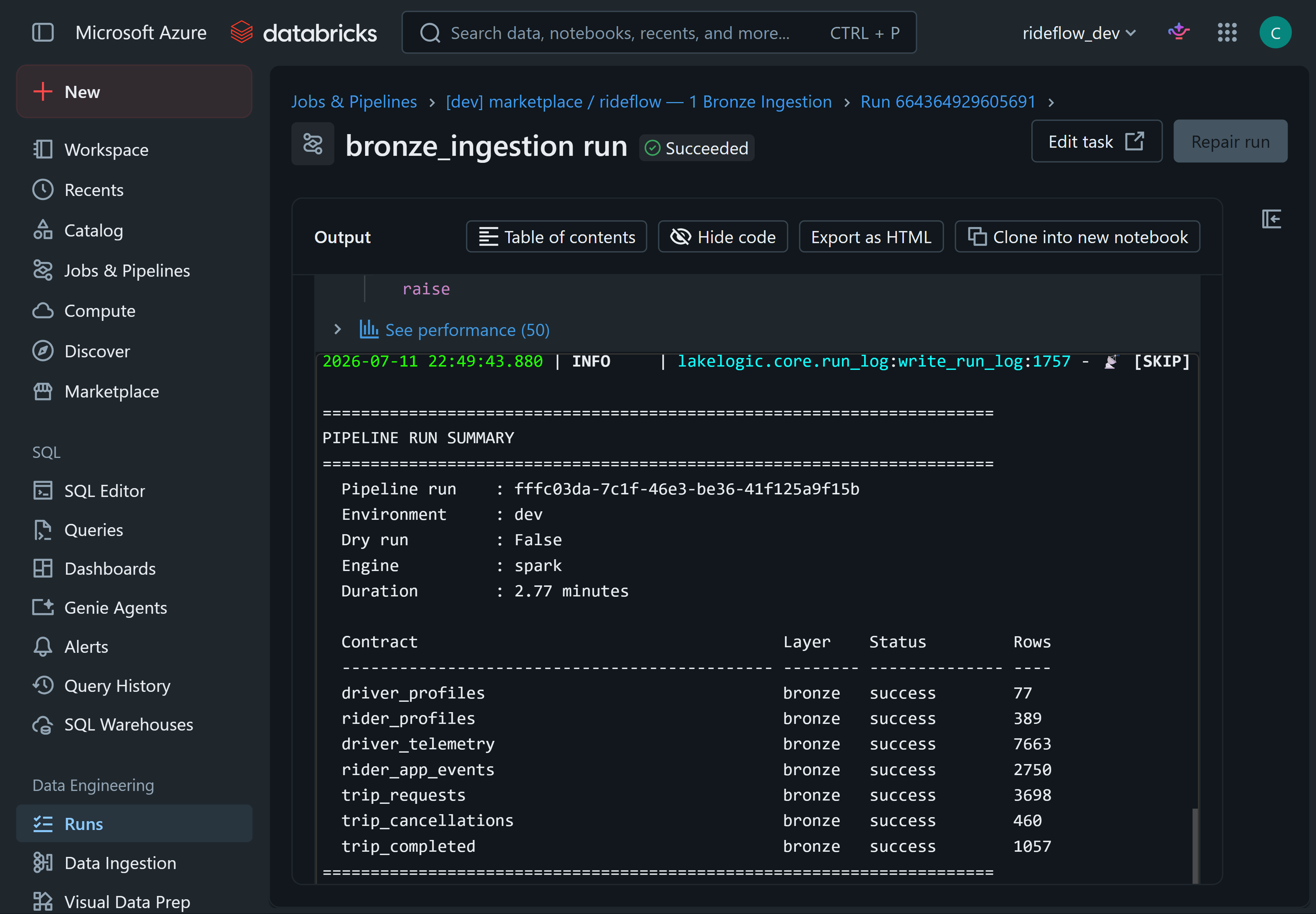
RideFlow reference project, synthetic data. One bronze ingestion run on Databricks; the summary records that it ran on Spark.
Quarantined rows on Databricks carry the same kind of reason as they do locally, in a quarantine table per layer:
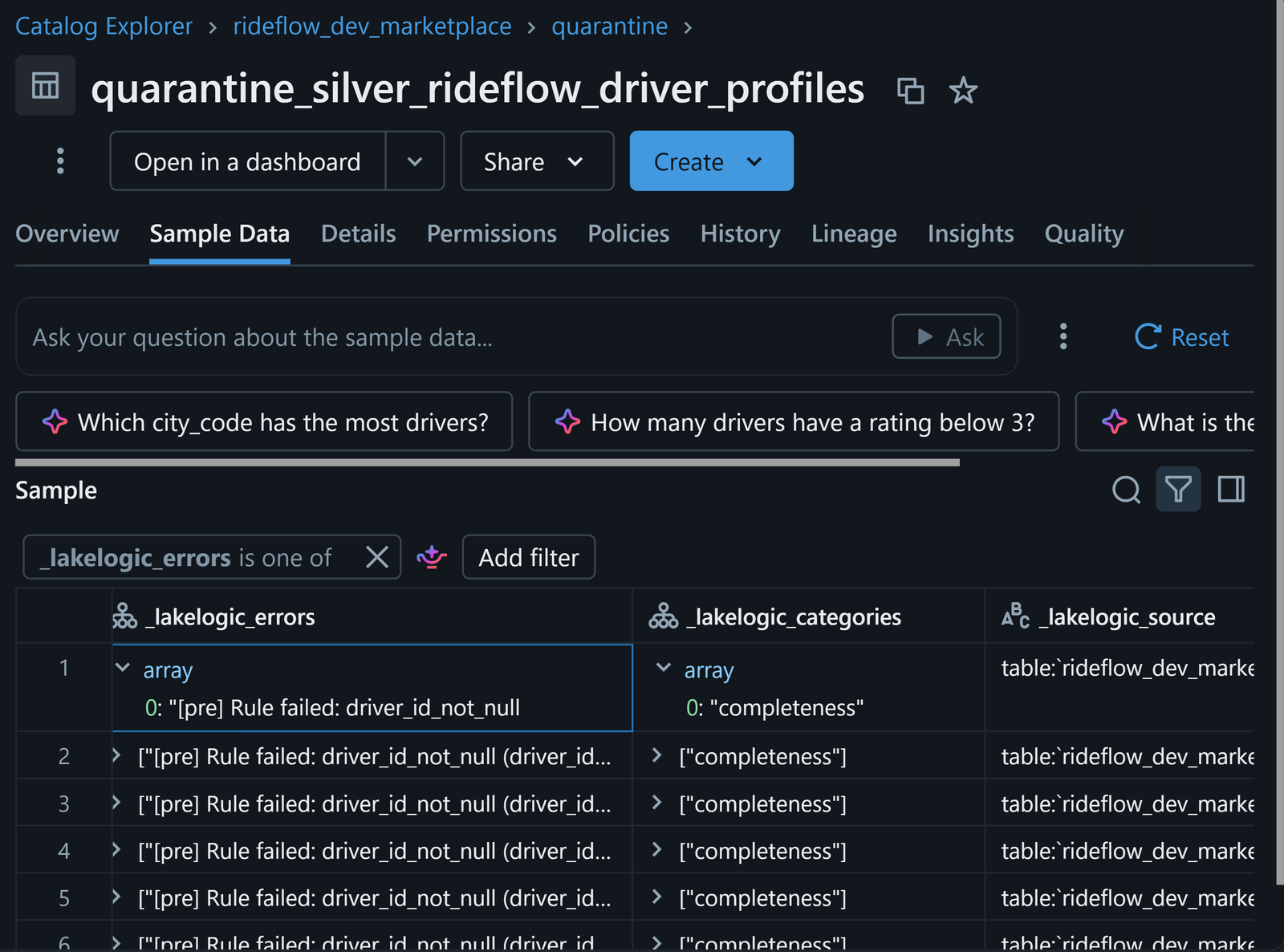
RideFlow reference project, synthetic data. A silver quarantine table in the marketplace domain's catalog. Each row records the rule it failed.
When you might not need this
- You only ever run on Databricks and cluster start-up is not slowing you down. Databricks Connect or a dev workspace may be all you need.
- Your rules are simple (required fields, ranges, accepted values) and already use structured forms. The cross-engine check adds little.
- Your logic is mostly PySpark transformations rather than table rules. Local PySpark tests are the closer fit.
Limits worth knowing
- Local success is evidence about the local engine. It is not a Databricks run.
- Not every expression has a structured form. Free-form SQL rules remain engine-specific and need testing on each engine.
- The platform still owns the platform. Permissions, storage, compute settings and job orchestration are tested only on Databricks.
- Small fixtures miss scale effects. Skew, partitioning and memory behaviour appear only with realistic volumes.
Key takeaways
- A local run on Polars or DuckDB gives second-scale feedback on schema and rules, and proves the local engine only.
- Free-form SQL rules inherit each engine's dialect; the same regex passed on one engine and errored on another.
- Prefer structured rules (regex, range, accepted values) when a contract runs on more than one engine.
- Test known differences explicitly: division by zero, time zones, float width.
- Record the engine with every result, and keep a Databricks run before promotion.
See the reference project
The RideFlow reference repository contains the contracts, the Databricks jobs and the test-data notebook behind the screenshots above.